


Video repurposing is the process of adapting existing video content for use on different social media platforms and formats. It allows your video to better suit the platform or audience in terms of resizing the video, adding subtitles, or editing the content. Maybe you put a lot of effort and time into your video production, so once you post a video on one social media channel, you can repurpose this video and post it everywhere to save energy and money. You can maximize your content ROI by repurposing every long video into dozens of short clips. Each clip targets different audiences and platforms, multiplying your content's reach and impact.
However, each platform has different requirements, like specs, social icons and so on. So, it also takes time to adjust the correct aspect ratio, length, and text format. And now you need a convenient video editing tool to help you - FlexClip!


Part 1 The Excellent Tool Helps You to Repurpose Video - FlexClip
FlexClip allows you to repurpose video in a few clicks and optimize your existing videos to suit different social platforms like Facebook, TikTok, YouTube, and others. You don’t have to create individual clips for diverse social platforms anymore. Moreover, FlexClip also provides other strong video editing functions to help you customize your videos so as to stand out on your chosen social platform.
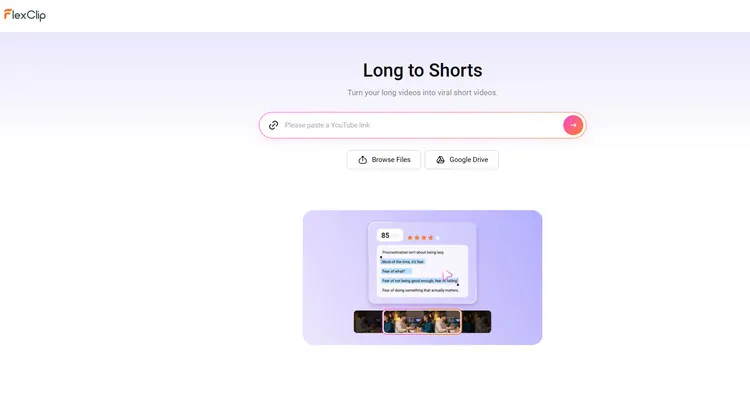
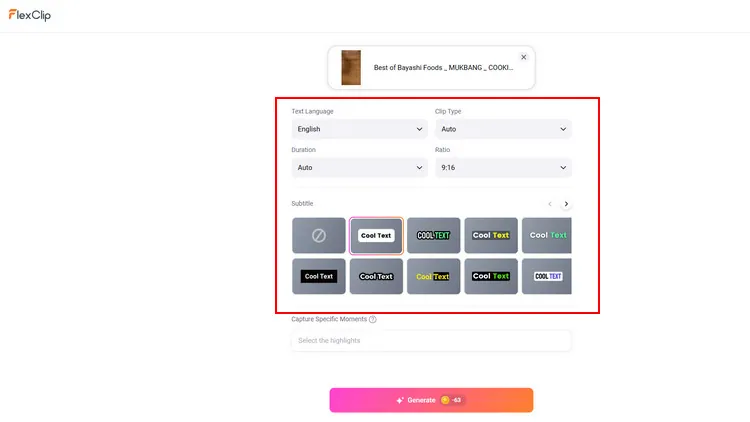
FlexClip’s offered AI features can help you repurpose video easily and quickly. When you’ve uploaded a long video to FlexClip, its AI long to shorts feature will automatically detects the most important moments, crops footage into platform-ready formats with accurate face tracking, and adds animated captions according to your needs. For example, you can adjust aspect ratios (9:16,16:9, 1:1) for TikTok, Instagram, and YouTube and more. Moreover, when you want to share the AI-generated clip online, FlexClip’s AI write feature will automatically generate engaging and relevant titles and descriptions, helping your audience instantly understand and connect with your content.
AI Text-based Editing Feature - FlexClip
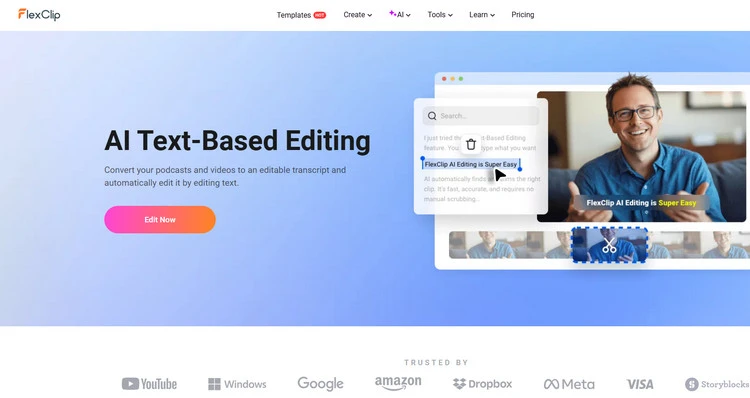
Plus, if you want to repurpose your TikTok videos for Instagram or YouTube, you can try FlexClip’s AI text-based editing feature. Since Instagram Reels and YouTube Shorts need to be under 60s long. FlexClip can help you to be active and consistent on all platforms with all different styles of content without adding in a whole load of extra work. It allows you to effortlessly convert spoken words in your video into editable text, then edit videos just like editing a document. You can easily delete the text, and the video will be trimmed accordingly. You can upload video and audio in 60+ languages and seamlessly edit it like editing a document. And its AI will analyze the transcript and extract important moments. You can quickly get highlights from long videos with one click.
AI Text-based Editing Feature - FlexClip
FlexClip’s abundant media library will offer a lot of video or photo footage for you to adjust your video content. If you want to fine-tune your original video, you can trim or add some footage from FlexClip’s media library. And FlexClip’s elements library provides different social icons that can help you to readjust video according to the themes of different social media platforms. This function makes your video more appealing to your audience.
Part 2 How to Repurpose Video with AI in FlexClip?
Want to try FlexClip to start your first try to repurpose video? Follow the below prompts step by step and you will gain an engaging new video fit for another social channels.
Upload Your Video - FlexClip
Setting Page - FlexClip
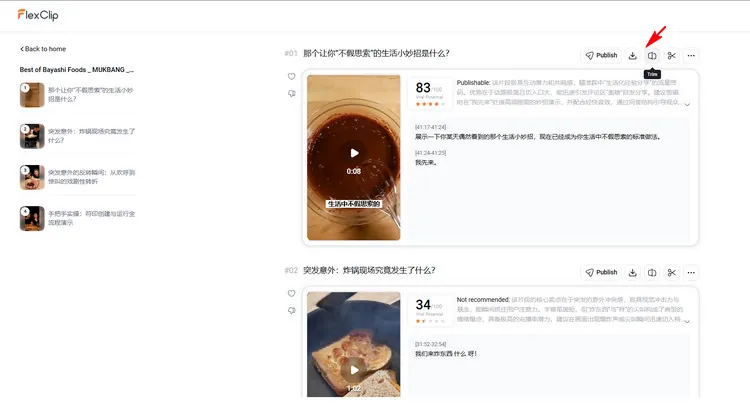
Long to Shorts - FlexClip
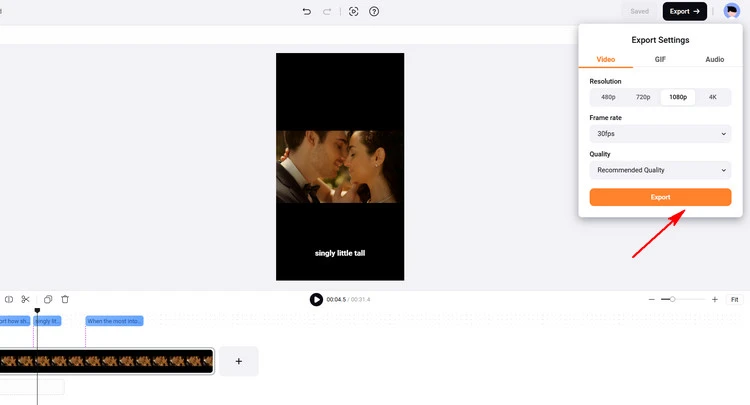
Download AI-generated Clips - FlexClip
The Bottom Line
Hopefully, in this post, we've given you some inspiration to repurpose your video better. And there are more video editing features waiting for you to explore. Let’s try FlexClip!




FlexClip AI Video Maker
Reach professional-quality videos faster with easy editing tools, templates, and smart AI.
Start Now for Free
Hot & Trending
-

7 Best Ways to Find Music in YouTube Videos
-

Instagram Story Video Quality Bad After Upload? Fix It!
-

How to Repost Video on TikTok & How to Remove TikTok Repost
-

Improve Video Quality Online: 3 AI Video Quality Enhancers You Can't Miss
-

4K Convert to HD 1080p without Watermark: Best 4k Video Converters
-

Top 13 Birthday Video Makers with Music and Effects Free
-

How to Search Filters on TikTok & Use a Filter You See - TikTok Filter Guide
-

Large Collection of Creative and Funny Birthday Video Ideas for Ones You Care




